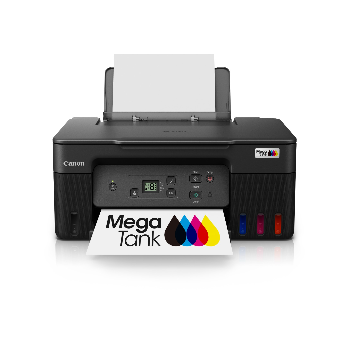
Canon G2770 Fast Ink Tank All-in-One Printer

The Canon G2770 is a high-quality ink tank printer that delivers fast, efficient and economical printing for home or office use. With low-cost ink and easy maintenance, canon g2770 offers outstanding value for users seeking reliable everyday performance.


₹ 15840 0% off
₹ 0

The Canon G2770 is a high-performance all-in-one ink tank printer designed for home users, students and small offices needing affordable, everyday printing. Its refillable ink system cuts running costs while delivering sharp text and vibrant colour prints for documents and images. Ideal for documents, school projects and occasional photos, it supports high-volume printing with minimal maintenance requirements over time. Simple controls and a compact design make it easy to place on any desk or workstation. Users can easily monitor ink levels and replace consumables like ink and maintenance cartridges themselves without expert help. Available from Laxmi Narayan Estate, Beside Punjab National Bank, Rewa Road,Satna, this printer is a dependable choice for long-term use and consistent performance.

Refillable ink tanks for ultra-low printing costs
Fast printing speed for home and office tasks
High page yield reduces frequent ink refills
Compact design saves space on any desk
Easy maintenance with replaceable cartridge system
Sharp text and vibrant colour document printing

Unbox the Canon G2770 and remove all protective tapes. Fill the ink tanks with genuine Canon G2770 ink and connect the power cord. Turn on the printer, set language and preferences. Install the Canon G2770 driver on your PC or laptop, then load paper into the tray and start printing or copying as needed.

To reset the Canon G2770 printer, first turn the printer on. Press and hold the Stop or Reset button until the alarm light blinks several times, then release. You can also perform a reset through the printer’s maintenance menu in the driver settings on your computer, restoring default settings without affecting hardware.

To ink flush the Canon G2770, open the printer driver maintenance tab on your computer and choose the deep cleaning or ink flush option. Follow the on-screen prompts and ensure sufficient ink is in the tanks. This process clears clogged nozzles, improving print quality but uses more Canon G2770 ink than standard cleaning.

To install the Canon G2770, first fill the ink tanks and load paper. Connect the printer to power and turn it on. Download the latest Canon G2770 driver from Canon’s official website, run the setup, and follow instructions to connect via USB. Complete the test print to confirm successful installation and configuration.

The Canon G2770 model typically focuses on USB connectivity and may not include built-in WiFi, depending on the regional variant. Check your product box or specifications for wireless symbols. If WiFi is essential, compare with other Canon G series models that explicitly list wireless printing in their features before buying online.

Canon G2770 printer price and Canon G2770 ink price can vary by seller and offers. Generally, the printer is positioned as an economical ink tank model with low running costs. Original Canon G2770 maintenance cartridge price and ink bottles may be slightly higher than local refills but ensure better reliability and print quality.