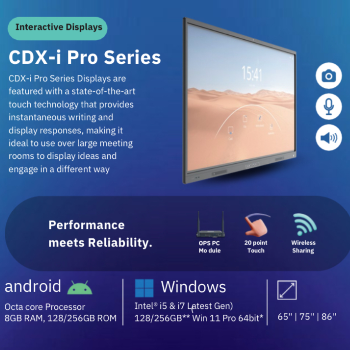
Interactive Displays Android Smart Touch Panel Patna
The Interactive Displays Android Smart Touch Panel from BHAVYA in Patna is a state-of-the-art touch display designed for interactive presentations, featuring an Android operating system for enhanced functionality.
The Interactive Displays Android Smart Touch Panel from BHAVYA in Patna offers a dynamic solution for interactive presentations. Priced at ₹125,000, this display enhances collaboration with its user-friendly interface and advanced touch technology.
BHAVYA, located in Patna, is the nearest provider of the Interactive Displays Android Smart Touch Panel. With a focus on quality and customer service, BHAVYA ensures that local customers receive the best interactive display solutions within a short distance, making it the top choice for those searching for this product nearby.
Product Details
Features & Benefits
- High-resolution display for clarity
- User-friendly touch interface
- Versatile for various applications
- Android OS for seamless integration


 Select Date