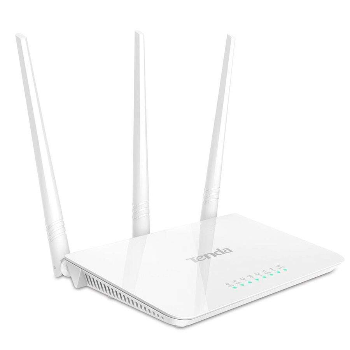
Tenda F3 300Mbps Wi-Fi Router
The Tenda F3 300Mbps Wi-Fi Router from EVOLUTION INFOTECH in Ahmedabad offers reliable wireless connectivity with easy setup and parental controls.
Upgrade to the Tenda F3 300Mbps Wi-Fi Router for seamless internet connectivity in Ahmedabad. This router features easy setup, superior speed, parental controls, and advanced options like bandwidth control and Wi-Fi scheduling, making it ideal for both home and office use. At a price of ₹1,499, it ensures reliable performance for all your devices.
For those searching for the Tenda F3 300Mbps Wi-Fi Router near me, EVOLUTION INFOTECH in Ahmedabad provides a local solution. Just within a short distance, customers can easily access this reliable router to enhance their internet experience.
From ₹1,499
₹0
0% OFF
Product Details
The Tenda F3 300Mbps Wi-Fi Router provides an efficient solution for those seeking high-speed internet connectivity in Ahmedabad. With a maximum speed of 300 Mbps, it supports multiple devices simultaneously, ensuring smooth streaming and browsing. The router includes user-friendly setup, advanced parental controls, bandwidth management, and Wi-Fi scheduling features. This makes it a suitable choice for families and professionals alike. Priced at ₹1,499, it offers excellent value for money, combining quality and performance to meet everyday internet needs.
Features & Benefits
- 300 Mbps speed for seamless connectivity
- User-friendly setup process
- Advanced parental controls
- Bandwidth control for better management
- Wi-Fi scheduling for convenience
How to Use
Connect the router to your modem, power it on, and use the Tenda app or web interface to complete the setup. Adjust settings as needed for optimal performance.
The Tenda F3 300Mbps Wi-Fi Router typically covers a range of 150-200 meters indoors, depending on obstacles.
Yes, the Tenda F3 features built-in parental controls, allowing you to manage internet access for different devices.
Yes, the Tenda F3 provides sufficient speed and stability for online gaming, making it a suitable choice for gamers.
The Tenda F3 300Mbps Wi-Fi Router usually comes with a one-year warranty, covering manufacturing defects.


 Select Date