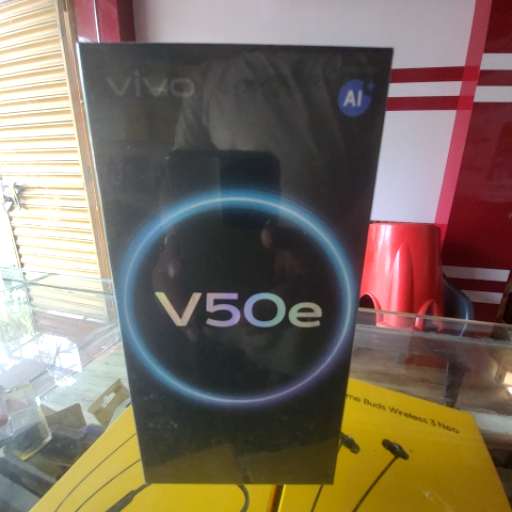
Vivo v50e smartphone in EGRA
The Vivo v50e from FRIENDS TELECOM in EGRA is a high-performance smartphone that combines advanced features and affordability, priced at ₹28,999.
The Vivo v50e is a high-performance smartphone perfect for tech enthusiasts in EGRA. With advanced features and an affordable price of ₹28,999, it offers great value. Enhance your mobile experience today with this cutting-edge device.
FRIENDS TELECOM in EGRA is the best option for those searching for the Vivo v50e. Located conveniently within 20 km, it offers competitive pricing and excellent customer service, making it the go-to store for residents seeking the Vivo v50e in EGRA.
₹28,999
Product Details
The Vivo v50e smartphone, available at FRIENDS TELECOM in EGRA, is designed for tech-savvy individuals seeking high-performance features at a budget-friendly price. It boasts advanced specifications, making it ideal for users who demand quality without breaking the bank. Residents looking for the best Vivo v50e near me will find it readily accessible at this local telecommunications service provider, ensuring they get the latest technology conveniently.
Features & Benefits
- High-performance smartphone
- Affordable price of ₹28,999
- Advanced camera technology
- Long-lasting battery life
- Sleek and modern design
How to Use
To set up the Vivo v50e, insert the SIM card, charge the device, and follow the on-screen setup instructions to configure your preferences.
You can find the Vivo v50e at FRIENDS TELECOM in EGRA, which is located conveniently for local residents.
The Vivo v50e is priced at ₹28,999 at FRIENDS TELECOM in EGRA.
To use the camera on the Vivo v50e, open the camera app and select the desired mode for photos or videos, then tap the shutter button.
The Vivo v50e offers superior performance and advanced features at a competitive price, making it a great choice compared to other smartphones in its range.


 Select Date
 08:00 AM - 08:30 AM, Thursday, Nov 24, 2024
 Indian Standard Time
 Shahanab