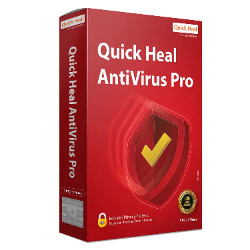
Quick Heal AntiVirus PRO Advanced Suite
Quick Heal AntiVirus PRO Advanced PC Protection Suite offers powerful security against over 1500 viruses per minute. With automatic blocking of unsafe websites and tracking of 800 million threats in the last 10 months, protect your PC’s data effortlessly. Ideal for seamless online experience.
From ₹399
₹0
0% OFF
Product Details
Quick Heal AntiVirus PRO Advanced PC Protection Suite is here to provide robust security for your computer in JABALPUR. It effectively combats up to 1500 viruses per minute and has successfully blocked 800 million threats in the last 10 months. With features like automatic website blocks and real-time scanning, your digital life is safer than ever.
Features & Benefits
- Blocks 1500 viruses per minute
- Automatic website blocking mechanism
- Real-time scanning for threats
- User-friendly interface
- Scheduled scans for convenience
How to Use
Start by downloading the installation file. Run the installer and follow the setup wizard. Once installed, activate the subscription. Perform the first system scan for optimal protection.
To install Quick Heal AntiVirus PRO, download the installer, open the file, follow the on-screen prompts, and activate it with your product key.
You can stop Quick Heal AntiVirus PRO by right-clicking the icon in the system tray and selecting 'Pause Protection,' then choose the duration of the pause.
To disable Quick Heal on Windows 10, right-click the system tray icon, select 'Settings,' and then choose 'Disable' under the protection settings.
You can buy Quick Heal AntiVirus PRO directly from the official website or trusted e-commerce platforms. Look for suitable offers.
Yes, a valid product key is required to activate Quick Heal AntiVirus PRO after installation. This key can be obtained upon purchase.


 Select Date