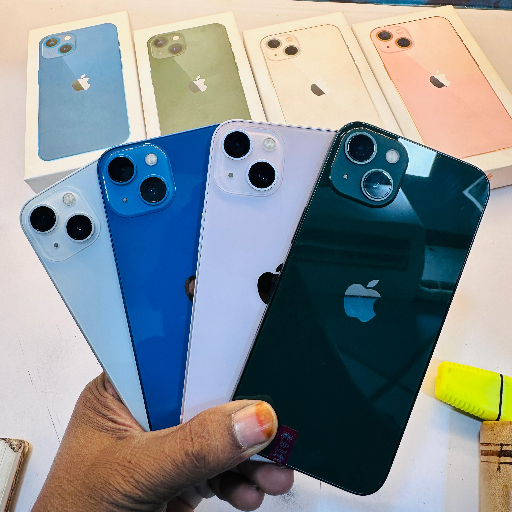
iPhone Back Glass Replacement All Models Service

Professional iPhone back door changing service for all models, including latest iPhone 17, iPhone 17 Pro Max, iPhone 16 and more. Expert technicians, quality parts, and fast turnaround to make your phone look brand new again.


₹ 1500 0% off
₹ 0

This service offers expert iPhone back door changing for all models, from older generations to the latest iPhone 17, iPhone 17 Pro Max and iPhone 16 series. It is ideal for users with cracked, scratched or shattered back glass who want their device restored to like-new condition without replacing the entire phone. Skilled technicians use quality compatible parts and careful tools to protect cameras and internal components while repairing. Whether you are worried about resale value, daily usability or just a clean look, this service provides a quick and reliable solution. Convenient doorstep guidance and in-store support are available at NA COMPLEX 4/5 100 feet road vijaya nagar velachery, Chennai, Tamil Nadu, 600042.

Back glass replacement for all iPhone models
Supports latest iPhone 17 and iPhone 16 series
Protects cameras and internal phone components
Improves phone look and resale value
Quick service with reliable quality parts
Cost-effective alternative to full phone replacement

Backup your iPhone data before visiting. Power off the device and remove any case or cover. Bring your iPhone for inspection so the technician can confirm model and damage. Approve the estimated cost, including options like iPhone 15 price range parts. Wait while the back glass is replaced, then test all functions, including camera, charging, and buttons, before leaving.

iPhone Lockdown Mode is an optional high-security feature designed to protect users who may be at risk of targeted attacks. When enabled, it limits certain apps, websites and features to reduce potential vulnerabilities. Regular users don’t usually need it for daily use or for services like back glass replacement.

To mirror iPhone on a Mac, connect both devices to the same Wi‑Fi, then open Control Center on your iPhone and tap Screen Mirroring. Choose your Mac from the list. Alternatively, you can connect via cable and use the QuickTime Player option to display and record your iPhone screen.

To screen record on an iPhone, first add Screen Recording in Settings > Control Center. Then open Control Center, tap the Record button, and wait for the three-second countdown. Your iPhone will capture video of the screen; stop recording from the status bar or Control Center to save it to Photos.

The iPhone 17 and iPhone 17 Pro Max are expected to offer water and dust resistance with an IP rating, similar to recent models. This means they can generally withstand splashes and brief submersion, but they are not fully waterproof. Water damage may still void warranty, so avoid intentional exposure.

The iPhone 16 series is likely to be water-resistant rather than fully waterproof, with an IP rating that protects against spills, rain and short accidental immersion. It is still important to avoid swimming or showering with the device. Damage from liquids may not be covered, even on newer iPhone 16 models.