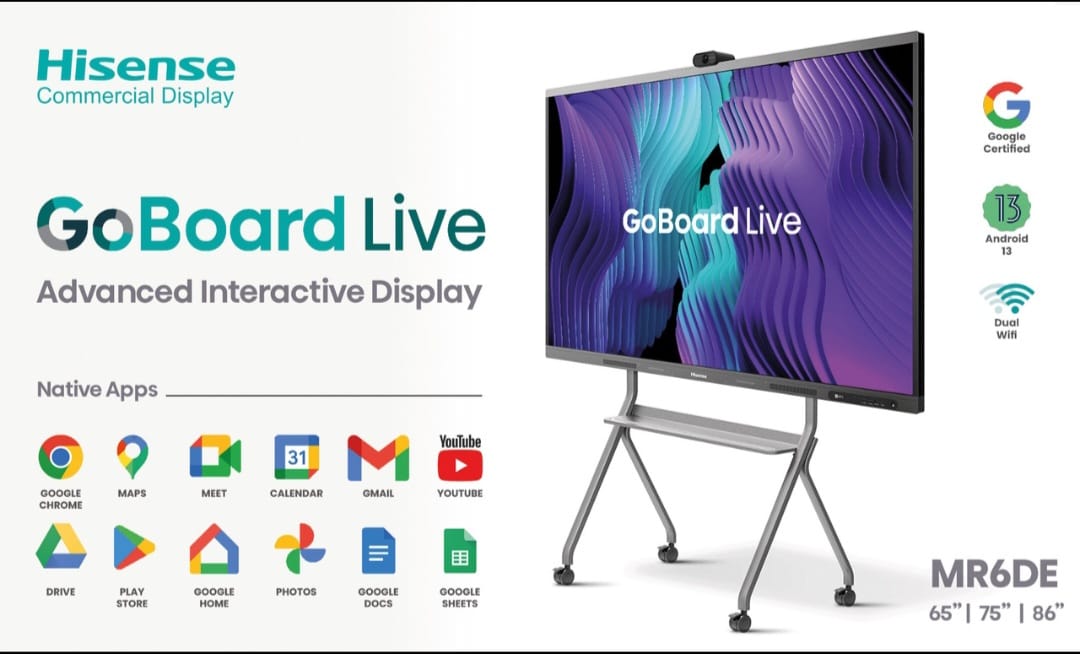
Hisense Interactive Panel 4K Smart Touch Display

Hisense Interactive Panel at Rs. 160,000/- boasts a vivid display, responsive touch interface, and robust connectivity, ideal for engaging presentations and meetings.


₹ 160000 0% off
₹ 0

The Hisense interactive panel is a professional-grade smart display designed for businesses, institutes, and modern classrooms seeking impactful visual communication and collaboration. With vibrant visuals and a fast, responsive touch interface, it makes presentations, brainstorming, and teaching more engaging and interactive. Multiple connectivity options support laptops, PCs, and other devices, enabling seamless screen sharing and video conferencing. Built-in smart features and user-friendly controls ensure smooth operation even for first-time users. Its durable construction is ideal for daily intensive use in conference rooms and training centers. Available at GANGA COMPLEX, 203 B, Kankarbagh Main Rd, opposite Bikaner sweets, Ghrounda, Patna, Bihar 800020, this panel offers an excellent balance of performance and value.

Vivid high-resolution display for crystal-clear presentations
Ultra-responsive multi-touch for smooth collaborative writing
Robust connectivity supports multiple devices and inputs
Ideal for meetings, training rooms, and smart classrooms
User-friendly interface reduces learning curve for all users
Durable design for reliable, everyday professional use

Mount the Hisense interactive panel securely on a stable wall or stand. Connect power and link your laptop or PC via HDMI, USB, or wireless casting. Turn on the panel and select the correct input source. Use the touch screen or pen to write, annotate, and navigate. Adjust brightness and audio as needed. After use, properly shut down the panel and disconnect external devices.

A Hisense interactive panel is used for digital teaching, business meetings, video conferencing, and collaborative presentations. It combines a large display with responsive touch, letting users write, draw, annotate, and share content in real time. This improves engagement, understanding, and participation in classrooms, training rooms, and boardrooms.

Yes, the Hisense interactive panel is excellent for classrooms because it supports interactive lessons, digital whiteboarding, multimedia content, and screen sharing from teacher or student devices. Teachers can annotate directly on the screen, save notes, and replay content, making lessons more engaging and helping students understand complex topics more easily.

Yes, you can easily connect your laptop to a Hisense interactive panel using HDMI, USB, or compatible wireless casting options. Once connected, your laptop screen appears on the panel, and you can control presentations, write annotations, and interact directly on the display while your audience views everything clearly.

The Hisense interactive panel works very well for video conferencing when paired with a compatible camera, microphone, and conferencing software on your PC or built-in system. You can share your screen, annotate documents live, and hold interactive remote meetings, making communication with clients or remote teams more effective and professional.

The Hisense interactive panel is designed to be user-friendly, even for beginners. Its interface feels similar to a large tablet, with simple touch gestures, clear menus, and easy input selection. Most users quickly learn to open files, annotate, switch sources, and use basic features without needing extensive technical training.