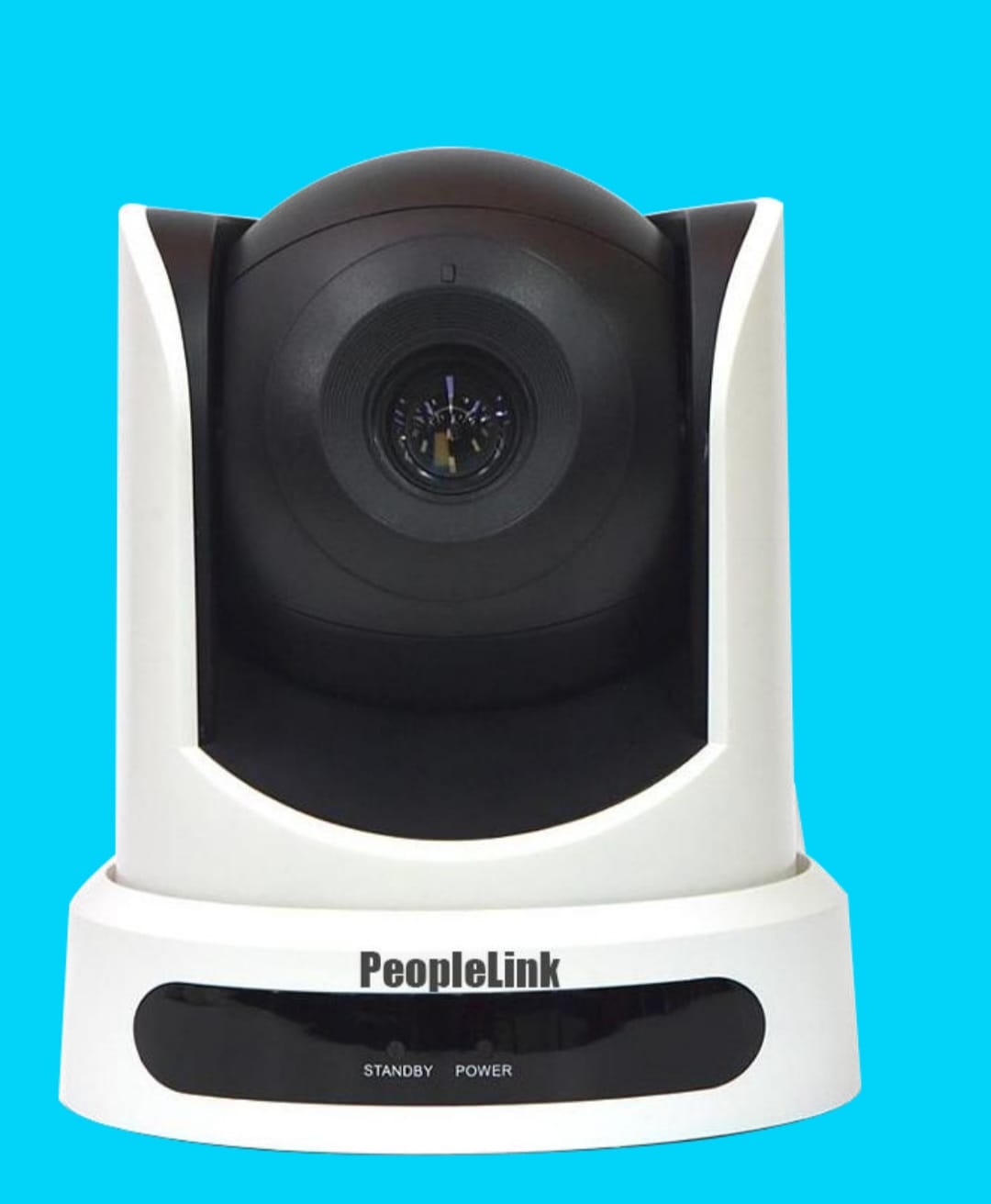
Peoplelink PTZ Camera Full HD Video Conferencing Camera

Peoplelink PTZ Camera at Rs. 48,000/- offers high-definition video, pan-tilt-zoom functionality, and seamless connectivity, perfect for dynamic video conferencing.


₹ 48000 0% off
₹ 0

The Peoplelink PTZ Camera is a professional-grade pan-tilt-zoom solution designed for conference rooms, classrooms, webinars and online training. It delivers crisp high-definition video with smooth, silent motorized movement, allowing you to focus precisely on speakers, documents or presentations in real time. Easy connectivity makes it compatible with popular video conferencing platforms and existing AV setups for quick deployment. Auto and manual controls provide flexible framing in both small huddle areas and large boardrooms. Ideal for schools, corporates, healthcare, houses of worship and hybrid offices, it enhances remote collaboration, engagement and visual clarity. This camera is available at GANGA COMPLEX, 203 B, Kankarbagh Main Rd, opposite Bikaner sweets, Ghrounda, Patna, Bihar 800020 for convenient purchase and support.

Full HD video ensures crystal-clear conferencing visuals
Smooth pan-tilt-zoom covers small and large rooms
Easy connectivity with popular video conferencing platforms
Quiet motorized movement for distraction-free meetings
Ideal for classrooms, boardrooms and training spaces
Flexible mounting options for ceilings, walls or tripods

Mount the Peoplelink PTZ Camera on a stable surface or bracket near your display. Connect the camera to power and your PC or video conferencing system using the appropriate USB, HDMI or network cable. Install any required drivers or software if prompted. Use the remote or control software to adjust pan, tilt and zoom to frame participants. Test audio and video in your conferencing app before meetings. Clean the lens gently with a soft microfiber cloth when needed and avoid direct sunlight on the lens.

A Peoplelink PTZ camera is used for professional video conferencing, online classes, webinars, training sessions and live streaming. Its pan-tilt-zoom function lets you smoothly follow speakers, focus on whiteboards or audiences, and cover large meeting rooms while delivering high-definition video to remote participants.

Yes, a PTZ camera is ideal for video conferencing because it can pan, tilt and zoom to capture everyone in the room clearly. A peoplelink ptz camera offers HD quality, flexible framing, and smooth movement, making online meetings more natural, professional and engaging for both presenters and remote attendees.

To connect a Peoplelink PTZ camera to your PC, plug the camera into your computer using the recommended USB, HDMI capture, or network cable. Then power on the camera. Most systems detect it automatically; select it as the video source in your conferencing software settings and run a quick test call.

A PTZ camera can optically zoom while maintaining video quality because it uses lens movement rather than digital cropping. Peoplelink PTZ cameras provide clear images even at higher zoom levels, making them suitable for large rooms where you need to focus on individual speakers or presentation content without blurring.

You generally don’t need complex software, as most Peoplelink PTZ cameras include a remote control for pan, tilt and zoom. However, you can also use optional control software or joystick controllers over USB or network for advanced presets, integration with AV systems and smoother operation in larger conference setups.