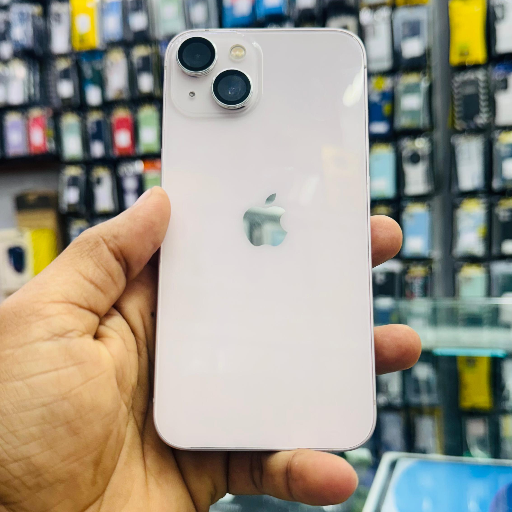
iPhone 13 128GB - Stylish & Powerful
Experience the impressive iPhone 13 128GB, offering cutting-edge technology and an elegant design. With its powerful processor and amazing camera, it's perfect for every user.
₹46,400
Product Details
Upgrade your smartphone experience with the iPhone 13 128GB. This device combines powerful performance and stunning photography capabilities in one sleek form. Equipped with A15 Bionic chip, it ensures lightning-fast actions, while the dual-camera system captures amazing photos even in low light. This premium smartphone is a perfect blend of style and technology that fits seamlessly into your life. You can find competitive prices on the iPhone 13 128GB in India, especially on platforms like Flipkart.
Features & Benefits
- A15 Bionic chip for fast performance
- Stunning dual-camera system
- Improved battery life
- Cinematic video recording capabilities
- Sleek and stylish design
How to Use
Ensure your iPhone is fully charged. Power it on by pressing the side button. Follow the setup instructions on the screen. Connect to Wi-Fi and sign in to your Apple ID. Explore the features and customize settings as desired.
The value of the iPhone 13 128GB varies, but it typically ranges from INR 60,000 to INR 80,000 based on the retailer, condition, and promotions.
The price of the iPhone 13 128GB in India is around INR 60,000, although prices may vary between retailers, including offers on platforms like Flipkart.
The iPhone 13 128GB is equipped with 4GB of RAM, which helps in multitasking and improving performance for various applications.
The second-hand price for an iPhone 13 128GB generally falls between INR 45,000 to INR 55,000, depending on condition and warranty.
Yes, the iPhone 13 128GB offers excellent performance with its A15 chip, great camera, and long battery life, making it a worthwhile investment.

 Select Date
 08:00 AM - 08:30 AM, Thursday, Nov 24, 2024
 Indian Standard Time
 Shahanab