75" Samsung Tizen OS 4K Smart TV Crystal UHD

About this item Resolution: 4K Ultra HD (3840 x 2160) Resolution | Refresh Rate : 50 Hertz Connectivity: 3 HDMI ports For Seamless Connectivity With External Devices | HDMI eARC/ARC | 1 X USB-A ports To Connect Hard Drives and other USB devices |Wi-Fi | Bluetooth | Anynet+ (HDMI-CEC)| Ethernet (LAN) Port| Rf In (Terrestrial) Sound Features: Powerful 20W Output Speakers- 2CH | Q-Symphony (Play sound from your soundbar and your TV's speakers at the same time) | Object Tracking Sound | Adaptive Sound Display Features: Crystal Processor 4K | HDR 10+ Support | Motion Xcelerator | Mega Contrast | UHD Dimming | Contrast Enhancer | Motion Xcelerator | 4K Upscaling | Filmmaker Mode || Other Convenience Features: Digital Broadcasting DVB-T2 | Analog Tuner | TV Key | 3 Side Bezel-less Design | SlimFit Cam Support | S-Share Smart TV Features: Bixby | Built-in Voice Assistant (Alexa) | Works with AI Speaker (Alexa, Google Assistant) | Samsung TV Plus | Mobile to TV Mirroring, Sound Mirroring, Wireless TV On | Web Browser | SmartThings Hub / Matter Hub / IoT-Sensor Functionality | Apple AirPlay | Daily+ Warranty Information: 1 year comprehensive warranty on product


₹ 55999 0% off
₹ 0

This 75" inch with Samsung Tizen OS 4K Ultra HD Smart TV is designed for immersive, big-screen entertainment. Ideal for movie lovers, gamers and binge-watchers, it delivers crystal-clear visuals with HDR10+ and 4K upscaling for sharper, more vibrant images. The Crystal Processor 4K optimises picture and sound in real time, while Q-Symphony, Object Tracking Sound and Adaptive Sound create a cinematic audio experience in any room. With built-in Alexa, Bixby and support for Google Assistant, you can control content hands-free. Multiple HDMI ports, USB, Wi‑Fi, Bluetooth and SmartThings Hub integration make it perfect for modern smart homes at PLOT NO 43, Near Bhagwan Marriage Garden KARTARPURA PHATAK, Patrakar Colony, JAIPUR.

Massive 75-inch 4K screen for immersive viewing
Samsung Tizen OS for smooth, smart TV experience
Crystal Processor 4K enhances clarity and colours
Q-Symphony combines TV and soundbar audio
Object Tracking Sound for directional, realistic audio
3-side bezel-less design for premium modern look

Place the TV on a stable stand or mount using a compatible wall bracket. Connect the power cable and plug into a surge-protected socket. Use HDMI ports for set-top box, console or soundbar; USB for drives. Connect to Wi-Fi or Ethernet during setup. Follow on-screen instructions to sign in, update software and configure voice assistants. Adjust picture and sound modes to your preference, then enable SmartThings or screen mirroring for mobile connectivity.

Samsung Tizen OS is one of the most reliable and user-friendly smart TV platforms. It offers a smooth interface, quick app launching and supports popular streaming services. With this 75-inch 4K TV, Tizen OS also gives you access to Samsung TV Plus, voice assistants and smart home integrations for a complete experience.

Samsung Tizen OS is the smart operating system that powers many Samsung TVs, including this 75-inch 4K model. It manages apps, streaming services, settings and connectivity, providing a simple, intuitive interface. It also enables voice control, SmartThings Hub features, screen mirroring and regular updates for better performance and security.

Tizen OS is generally considered very good, especially for users who want a clean, fast interface optimised for Samsung hardware. While Android TV may offer a wider variety of apps, Tizen OS provides excellent stability, seamless integration with Samsung services, voice assistants and smart home devices, making it a strong alternative.

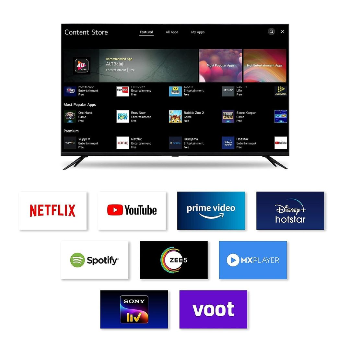
Tizen OS does not use the Google Play Store. Instead, it has its own Samsung app store with a wide selection of popular streaming, music and utility apps. Essential services like Netflix, Prime Video, YouTube and more are available, ensuring you still enjoy a full smart TV experience on this 75-inch Samsung model.

Yes, you can install apps on a Samsung Tizen Smart TV through the built-in Samsung app store. Simply connect the TV to the internet, open the Apps section, browse or search for the app you want and select install. Many streaming, gaming and utility apps are optimised for 75-inch Samsung Tizen OS TVs.