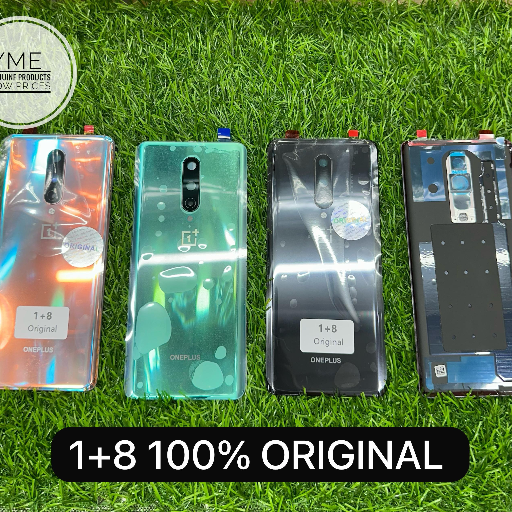
Stylish Mobile Covers Shock Protection Case Range
Mobile covers
₹100
Product Details
These premium mobile covers are designed to protect your smartphone from daily bumps, drops, and scratches while keeping it stylish and slim. Made for users who want both fashion and function, each cover offers a secure grip, raised edges, and precise cutouts for easy access to all ports and buttons. Ideal for students, professionals, and travellers, these mobile covers help extend your phone’s life without adding bulk or discomfort. Choose from multiple designs and colours to match your personality and mood. Whether you prefer minimal, classy, or bold patterns, there’s an option for every taste at 593 SANT PURA ROAD SANT PURA GURUDWARA ROAD SANT PURA GURUDWARA ROAD YAMUNA NAGAR.
Features & Benefits
Shock-absorbing design protects against daily drops
Slim, lightweight build avoids unwanted bulk
Raised edges safeguard screen and camera lens
Precision cutouts ensure full port and button access
Anti-slip grip reduces chances of accidental falls
Slim, lightweight build avoids unwanted bulk
Raised edges safeguard screen and camera lens
Precision cutouts ensure full port and button access
Anti-slip grip reduces chances of accidental falls
How to Use
Gently clean your phone surface with a soft, dry cloth. Align the mobile cover with the camera and button cutouts. First insert one side of the phone into the cover, then press around the edges until it clicks into place securely. To remove, carefully peel back one corner and slide out.
Mobile covers protect your phone from accidental drops, scratches, and everyday wear, helping you avoid costly repairs or replacements. They also improve grip, reducing the chances of slipping from your hand, and let you personalise the look of your device without affecting functionality or access to ports and buttons.
Always check your exact phone brand and model name before buying mobile covers. Look for covers clearly labelled for your device and confirm camera, button, and port cutouts match product photos. Choosing a model-specific case ensures a snug fit, proper protection, and full access to charging, speakers, and controls.
Most slim mobile covers do not affect wireless charging or phone performance. However, very thick, metal, or magnetic cases can interfere with charging coils or signals. For best results, choose a lightweight, non-metallic cover and test wireless charging after fitting. If charging slows or stops, switch to a thinner case.
You should replace mobile covers when they show cracks, looseness, or worn edges, as these signs reduce protection. Heavy drops can also weaken material even if damage seems minor. Inspect your cover regularly; many users replace it every 6–12 months or sooner if it no longer fits tightly or looks damaged.
Remove the mobile cover from your phone and wipe it with a soft cloth and mild soapy water. Avoid harsh chemicals or abrasive scrubbers that can damage prints or material. Let the cover air-dry completely before refitting. Regular cleaning prevents dirt buildup, yellowing, and odours, keeping your case fresh and presentable.


 Select Date
 08:00 AM - 08:30 AM, Thursday, Nov 24, 2024
 Indian Standard Time
 Shahanab