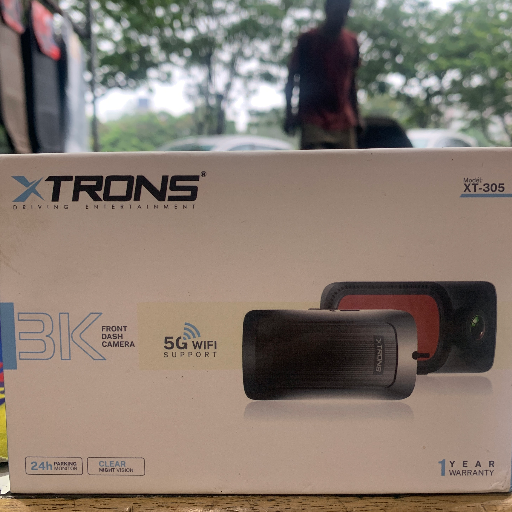
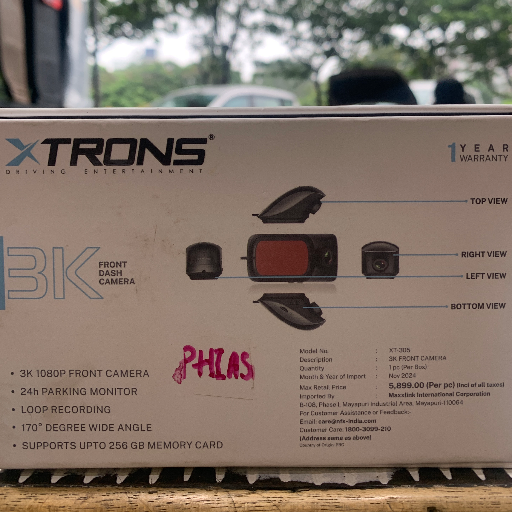
XTRONS CAR DVR Recording system ensures safety on the road. With HD footage capture, dual lens, and seamless connectivity, this is your ideal travel companion. Enjoy peace of mind knowing every moment is recorded.
₹ 2800 0% off
₹ 0
Enhance your driving experience with the XTRONS CAR DVR Recording system. This advanced device records crystal-clear footage of your journeys, ensuring safety on the road. With features like dual lens recording and seamless connectivity through the XTRONS DVR app, you can easily review your footage. Visit us at SHOP NO 3 PLOT19 PALM BEACH ROADBESIDE GODREJ INTERIO SECTOR 19 C APMC MARKET 1 VASHI for the best deals.
High-definition video recording
Dual lens for front and rear view
Seamless connectivity with XTRONS app
Loop recording feature
G-sensor for emergency locking
Install the DVR camera on your windshield. Connect it to your car's power supply. Download the XTRONS DVR app. Pair the DVR with your mobile device. Start recording your journeys effortlessly.
A DVR in a car acts as a recording device that captures video footage of your journeys. It enhances road safety by providing evidence in case of incidents.
To connect the XTRONS DVR to your mobile, ensure the DVR is powered on, then download the XTRONS DVR app, and follow the pairing instructions provided in the app.
To install a DVR camera, clean the windshield, attach the mount, connect to a power source, and set the angle for optimal view while driving.
The XTRONS DVR app is recommended for Android users. It allows you to manage your recordings and access live footage directly from your device.
The XTRONS DVR features high-definition video recording, dual lens capture, loop recording, and a G-sensor for automatic lock of crucial video files during emergencies.


 Facebook
 Instagram
 Twitter
 Linkedin
 WhatsApp
 WhatsApp
