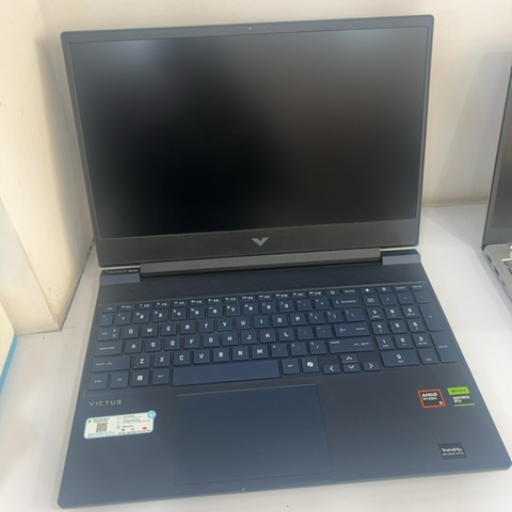
HP LAPTOP
Upgrade your productivity with the HP Laptop, designed for seamless performance and reliability. Perfect for professionals and students alike.
₹64,900
Product Details
The HP Laptop is a versatile and efficient device that offers powerful performance for work, school, or entertainment. With a sleek design and cutting-edge technology, this laptop is perfect for multitasking and staying connected on the go. Featuring a high-definition display, fast processing speeds, and long battery life, the HP Laptop is the ideal choice for users seeking a reliable and high-performing device.
Features & Benefits
- 10th Gen Intel Core processor
- Full HD display
- Long-lasting battery
- Lightweight and portable design
- Multiple connectivity options
The HP Laptop empowers users with fast, reliable performance, allowing for seamless multitasking and productivity. Whether you're working on important projects, streaming your favorite shows, or staying connected with loved ones, this laptop delivers high-quality performance and efficiency. Additionally, its sleek design and long-lasting battery make it the perfect companion for those on the move.
- Full HD display
- Long-lasting battery
- Lightweight and portable design
- Multiple connectivity options
The HP Laptop empowers users with fast, reliable performance, allowing for seamless multitasking and productivity. Whether you're working on important projects, streaming your favorite shows, or staying connected with loved ones, this laptop delivers high-quality performance and efficiency. Additionally, its sleek design and long-lasting battery make it the perfect companion for those on the move.
How to Use
- Power on the laptop by pressing the power button.
- Follow the on-screen prompts to set up your device.
- Customize your settings and personalize your desktop.
- Install necessary software and applications for your needs.
- Connect to Wi-Fi or other networks for internet access.
- Remember to charge the battery regularly and keep the laptop clean for optimal performance.
Keywords: HP Laptop, 10th Gen Intel Core, Full HD display, long-lasting battery, lightweight, portable, connectivity, productivity, multitasking.
- Follow the on-screen prompts to set up your device.
- Customize your settings and personalize your desktop.
- Install necessary software and applications for your needs.
- Connect to Wi-Fi or other networks for internet access.
- Remember to charge the battery regularly and keep the laptop clean for optimal performance.
Keywords: HP Laptop, 10th Gen Intel Core, Full HD display, long-lasting battery, lightweight, portable, connectivity, productivity, multitasking.

 Select Date
 08:00 AM - 08:30 AM, Thursday, Nov 24, 2024
 Indian Standard Time
 Shahanab