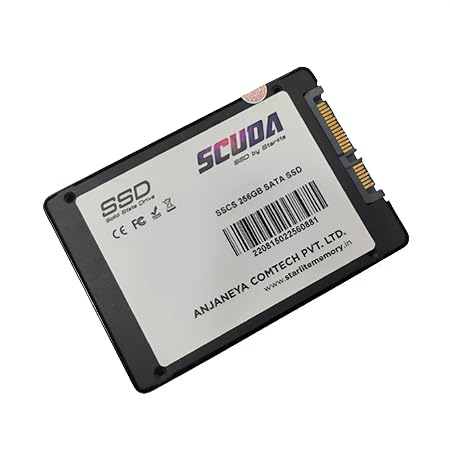
SCUDA 256 GB SSD SATA Internal Drive
Upgrade your system's storage with the SCUDA 256 GB SSD. This internal solid state drive offers SATA 6GB/s speeds, perfect for laptops and desktops, enhancing performance and responsiveness.
From ₹1,449
₹0
0% OFF
Product Details
The SCUDA 256 GB SSD is designed for users seeking speed and reliability. With SATA 6GB/s transfer rates, this 2.5-inch solid state drive enhances your laptop or desktop performance significantly. Ideal for gamers, professionals, and everyday users, it ensures quick boot times and speedy file access. Available in THAKURPUKUR BAZAR, this SSD is a must-have upgrade for anyone looking to maximize their system's capabilities.
Features & Benefits
- 256 GB storage capacity
- SATA 6GB/s data transfer speed
- 2.5-inch compact design
- Enhanced boot and load times
- Energy-efficient and reliable
- Compatible with most laptops and desktops
How to Use
Back up your data. Power off your device. Remove the old drive. Insert the SCUDA SSD. Secure it in place. Power on your device.
The SCUDA 256 GB SSD offers fast SATA 6GB/s speeds, enhancing your system's performance significantly compared to traditional hard drives. It's compact and energy-efficient, making it ideal for most laptops and desktops.
Yes, installing the SCUDA 256 GB SSD is straightforward. Following simple guidelines ensures a seamless installation in most laptops or desktops without requiring advanced technical skills.
Unlike HDDs, the SCUDA 256 GB SSD has no moving parts, resulting in faster data access, lower power consumption, and improved durability. This leads to quicker boot and load times.
To install the SCUDA 256 GB SSD, you typically need a screwdriver, anti-static wrist strap, and possibly some cable connectors, depending on your device's configuration.
Absolutely! The SCUDA 256 GB SSD enhances gaming performance by significantly reducing loading times and providing smooth gameplay. It's an excellent upgrade for any gamer.


 Select Date