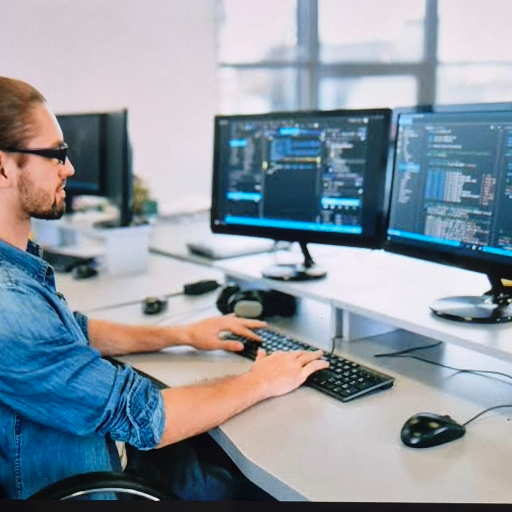
Computer Softwares Essential Tools Suite
Computer software
₹10,000
Product Details
This curated collection of computer softwares brings together essential tools for students, professionals and home users. You get trusted computer software programs for productivity, security, creativity and everyday tasks in one convenient suite and toolkit. Ideal for freshers building a profile, it includes popular computer applications useful to put on a resume and practice with. Simple installation, clear guidance and friendly online support make it easy even for beginners of all ages. Whether you need soft computing utilities, PC maintenance or learning tools, this bundle covers the basics. Perfect for users in ARMADEFIN seeking a reliable, value-packed software set that keeps systems organized, protected and ready for work or study.
Features & Benefits
Curated set of essential computer softwares
Perfect for students, professionals and home users
Includes tools suitable to list on resumes
Easy installation with beginner-friendly guidance
Improves productivity, security and system performance
Compatible with most modern computers and laptops
Perfect for students, professionals and home users
Includes tools suitable to list on resumes
Easy installation with beginner-friendly guidance
Improves productivity, security and system performance
Compatible with most modern computers and laptops
How to Use
Check system requirements for each included program. Run the installer file and follow on-screen steps to complete computer software installation. Restart your system if prompted, then open each application once to finish setup. Activate licenses using provided keys and regularly update programs for best performance and security.
Computer software is a collection of programs and instructions that tell a computer what to do. Unlike hardware, which is the physical parts, software is digital and controls tasks like writing documents, browsing the internet, editing photos, or running computer applications and soft computing tools for specific purposes.
Computer softwares are different types of programs installed on a device to perform tasks such as office work, gaming, security, or design. They include system software like operating systems and application software like browsers or office suites. Listing relevant computer softwares on a resume can highlight your technical skills effectively.
Computer software examples include operating systems like Windows, word processors like Microsoft Word, web browsers like Chrome, antivirus tools, media players and design programs. These computer software programs help with writing, browsing, protecting data, editing images and many other everyday computing tasks at work, home or school.
Computer software skills are your ability to use specific programs effectively, such as office suites, email clients, design tools, or coding environments. Employers often look for computer softwares to put on resume, like Excel, PowerPoint or accounting software, because they show you can handle common digital tasks professionally.
To download computer software safely, visit the official website or a trusted store, search for the required program, then choose the correct version for your system. Click download, save the installer, and run it. Avoid unknown links when looking for computer software help or installation near you to prevent malware.


 Select Date
 08:00 AM - 08:30 AM, Thursday, Nov 24, 2024
 Indian Standard Time
 Shahanab