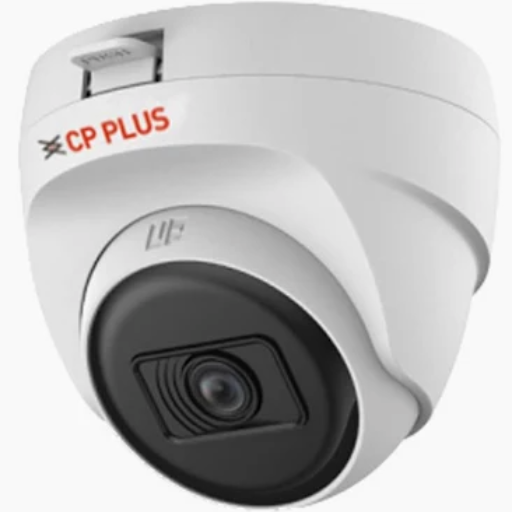
Cp plus dome camera
Elevate the security of your home or office with the Cp plus dome camera, ensuring peace of mind and safety for all.
₹1,130
Product Details
The Cp plus dome camera is a cutting-edge security solution designed for both home and office use. With advanced features such as high-resolution recording and remote monitoring, this camera provides round-the-clock surveillance to protect your property and loved ones. Its sleek design and durable construction make it a reliable choice for indoor or outdoor installation, offering unmatched security and peace of mind.
Features & Benefits
- High-resolution recording capabilities
- Remote monitoring for real-time surveillance
- Easy installation for hassle-free setup
- Durable construction suitable for indoor or outdoor use
The Cp plus dome camera offers a sense of security and confidence, knowing that your property is under constant watch. Its advanced features allow for efficient monitoring and recording, ensuring that any suspicious activity is captured and can be used as evidence if needed. Whether you're looking to protect your home or secure your office, this camera provides the peace of mind you deserve.
- Remote monitoring for real-time surveillance
- Easy installation for hassle-free setup
- Durable construction suitable for indoor or outdoor use
The Cp plus dome camera offers a sense of security and confidence, knowing that your property is under constant watch. Its advanced features allow for efficient monitoring and recording, ensuring that any suspicious activity is captured and can be used as evidence if needed. Whether you're looking to protect your home or secure your office, this camera provides the peace of mind you deserve.
How to Use
To use the Cp plus dome camera for recording, simply follow these steps:
1. Mount the camera in a strategic location for optimal coverage.
2. Connect the camera to a power source and set up the recording settings as per your preferences.
3. Access the remote monitoring feature to view live footage or review recorded videos.
4. Regularly check the camera for any maintenance requirements, such as cleaning the lens or adjusting the angle for better coverage.
By following these instructions, you can maximize the effectiveness of the Cp plus dome camera for enhanced security.
1. Mount the camera in a strategic location for optimal coverage.
2. Connect the camera to a power source and set up the recording settings as per your preferences.
3. Access the remote monitoring feature to view live footage or review recorded videos.
4. Regularly check the camera for any maintenance requirements, such as cleaning the lens or adjusting the angle for better coverage.
By following these instructions, you can maximize the effectiveness of the Cp plus dome camera for enhanced security.


 Select Date
 08:00 AM - 08:30 AM, Thursday, Nov 24, 2024
 Indian Standard Time
 Shahanab