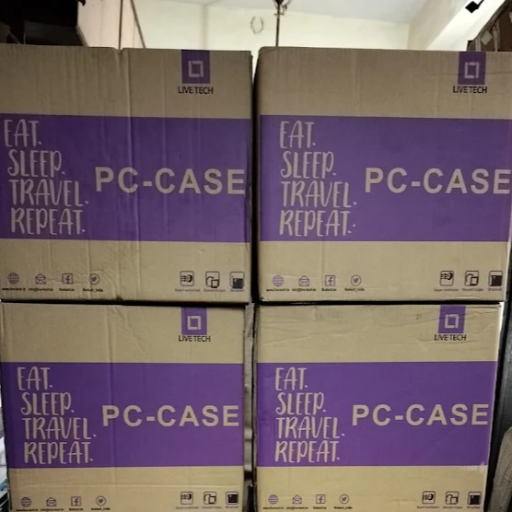
Live Tech Cabinet with SMPS Desktop PC Case
Buy Live Tech cabinet with SMPS at Shah Infotech, New Panvel. Ideal for desktop PC builds with pre-installed power supply. Best price & support locally. OUR PRICE 1250/- ONLY.
₹1,999
Product Details
Live Tech cabinet with SMPS is an ideal choice for budget-friendly and reliable desktop PC builds. Designed for home, office and small business users, it comes with a pre-installed power supply to simplify assembly and reduce extra costs. The cabinet offers decent airflow, multiple drive bays and front-panel connectivity for everyday computing needs and upgrades. Its compact yet sturdy build fits easily on or under a desk, while supporting standard components used by most assemblers. Available locally at Shah Infotech, it gives you convenient warranty support and quick service at SHOP NO 32 PLOT NO 15D PAYAL COMPLEX SECT 17 NEW PANVEL 410206. Perfect for first-time builders and upgraders seeking value.
Features & Benefits
Pre-installed SMPS saves extra power supply cost
Sturdy metal cabinet for long-lasting reliability
Optimised airflow design for cooler components
Supports standard motherboard and desktop hardware
Front USB and audio ports for easy access
Ideal for home, office and basic gaming PCs
Sturdy metal cabinet for long-lasting reliability
Optimised airflow design for cooler components
Supports standard motherboard and desktop hardware
Front USB and audio ports for easy access
Ideal for home, office and basic gaming PCs
How to Use
Unbox the Live Tech cabinet with SMPS carefully and remove all protective packaging. Install the motherboard using the provided standoffs and screws. Mount the processor, RAM and CPU cooler, then fit storage drives and optical drive if needed. Connect SMPS power cables to motherboard, drives and graphics card. Attach front-panel connectors to the motherboard as per manual. Finally, close the side panel, connect monitor, keyboard, mouse and power cable, then switch on and test the PC.
Yes, this Live Tech cabinet with SMPS comes with a pre-installed power supply, so you don’t need to buy a separate PSU for most basic desktop PC builds. It is suitable for everyday home and office use, offering enough power for standard configurations and helping reduce overall build cost.
This Live Tech cabinet with SMPS is best suited for entry-level or light gaming builds using modest graphics cards and standard components. For very high-end gaming PCs with powerful GPUs and heavy overclocking, you may need a cabinet and power supply designed specifically for higher airflow and wattage requirements.
The Live Tech cabinet generally supports standard ATX and micro-ATX motherboards used in most desktop PC setups. Before assembling, check your motherboard form factor and confirm mounting hole alignment inside the case. This ensures secure installation, proper cable routing and adequate space for other components like drives and expansion cards.
Yes, you can usually replace the included SMPS with another compatible ATX power supply if your configuration demands more wattage or better efficiency. When upgrading, ensure the new PSU fits the cabinet, has the required connectors for your hardware and is installed securely following standard PC assembly safety practices.
You can buy this Live Tech cabinet with SMPS from Shah Infotech, a local store offering the pc cabinet in New Panvel at an affordable price. They provide local billing, after-sales support and quick assistance with basic installation queries, making it convenient for first-time buyers and system assemblers.


 Select Date