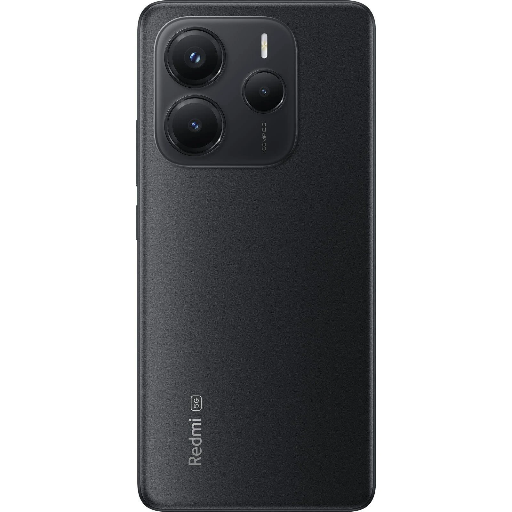
Redmi mobile 14 5G in Mandi
Redmi mobile 14 5G from SHIVA COMMUNICATION in Mandi is an advanced smartphone that provides lightning-fast connectivity, ideal for seamless communication and entertainment on-the-go.
Experience lightning-fast connectivity with the Redmi mobile 14 5G, available at SHIVA COMMUNICATION in Mandi. Perfect for communication and entertainment on-the-go, this advanced smartphone is designed to keep you connected effortlessly. Grab yours today!
For residents near Mandi, SHIVA COMMUNICATION is the ideal destination for purchasing the Redmi mobile 14 5G. Located conveniently within the city, the store offers competitive pricing and excellent customer service, ensuring that local buyers can access this advanced smartphone quickly and easily.
₹17,790
Product Details
Redmi mobile 14 5G is a cutting-edge smartphone designed for seamless communication and entertainment. With lightning-fast speed, users can enjoy browsing, streaming, and connecting without interruptions. Located in Mandi, SHIVA COMMUNICATION offers this advanced device, making it a convenient choice for those searching for 'Redmi mobile 14 5G near me'. Experience the power of 5G connectivity and elevate your mobile experience today.
Features & Benefits
- 5G connectivity for ultra-fast speed
- Advanced camera for stunning photos
- Long-lasting battery life
- User-friendly interface
- Sleek design for easy handling
How to Use
To set up the Redmi mobile 14 5G, insert your SIM card, charge the device, and follow the on-screen prompts to complete the setup process. Explore the settings to customize your experience.
You can purchase the Redmi mobile 14 5G at SHIVA COMMUNICATION, conveniently located in Mandi.
The price of the Redmi mobile 14 5G is ₹17,790 at SHIVA COMMUNICATION in Mandi.
To set up your Redmi mobile 14 5G, insert your SIM, charge it, and follow the setup instructions on the screen.
The Redmi mobile 14 5G offers superior speed, a powerful camera, and excellent battery life, making it competitive with other smartphones in the market.


 Select Date
 08:00 AM - 08:30 AM, Thursday, Nov 24, 2024
 Indian Standard Time
 Shahanab