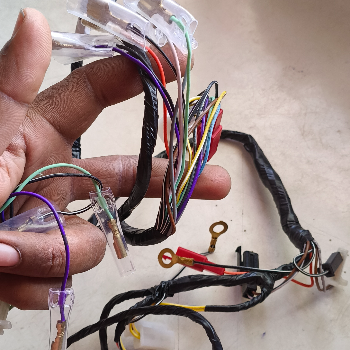
Wiring Excel 100 High Performance Electrical Wire
Wiring excel 100
₹350
Product Details
Wiring Excel 100 is a versatile electrical wiring solution designed for safe and efficient power distribution in homes, offices and commercial spaces. It suits electricians, contractors and DIY users who need dependable performance for new installations or upgrades in diverse environments. With strong insulation and consistent conductivity, it helps reduce energy loss and enhances overall safety. The flexible build makes routing through conduits easier, saving time on site during busy projects. Ideal for lighting, small appliances and general circuits, Wiring Excel 100 supports clean, organized setups with minimal maintenance. Available for customers in Sector 91, Faridabad, Haryana 121013, India, it delivers an excellent balance of quality, durability and ease of use.
Features & Benefits
High conductivity for stable power performance
Durable insulation enhances electrical safety
Flexible wire design simplifies installation
Suitable for home and office wiring needs
Supports organized, clutter-free cable management
Low maintenance for long-term reliability
Durable insulation enhances electrical safety
Flexible wire design simplifies installation
Suitable for home and office wiring needs
Supports organized, clutter-free cable management
Low maintenance for long-term reliability
How to Use
Switch off the main power supply before starting. Measure and cut Wiring Excel 100 to the required length. Strip insulation carefully at the ends without damaging the conductor. Connect to terminals or junctions as per circuit diagrams. Tighten all connections securely, then restore power and test the circuit.
Wiring Excel 100 is used for general electrical wiring in homes, offices and small commercial setups. It’s suitable for lighting circuits, small appliances and standard power outlets. The cable offers reliable conductivity and insulation, making it ideal for safe installations, upgrades and repairs performed by electricians or skilled DIY users.
Yes, Wiring Excel 100 is designed to be ideal for home wiring projects, including lighting, fans, and low to moderate load circuits. Its durable insulation and stable conductivity support safe residential installations. Always follow local electrical codes and, where necessary, consult a qualified electrician when using this wire at home.
You can install Wiring Excel 100 yourself if you have basic electrical knowledge and follow safety precautions. Always switch off the main supply, use proper tools, and follow wiring diagrams or local codes. For complex circuits or load calculations, it’s safer to hire a licensed electrician to avoid risks.
When using Wiring Excel 100, always cut power at the main switch before working. Use insulated tools, avoid damaged or wet cables, and never overload circuits beyond recommended capacity. Ensure all connections are tight, use proper junction boxes and follow local electrical codes for safe, reliable installation and operation.
To choose the right length of Wiring Excel 100, measure the full path the wire will follow, including bends and vertical runs. Add extra margin for connections and future adjustments. Avoid stretching the cable tightly; a small surplus helps with safe routing, secure terminations and easier maintenance later.


 Select Date
 08:00 AM - 08:30 AM, Thursday, Nov 24, 2024
 Indian Standard Time
 Shahanab