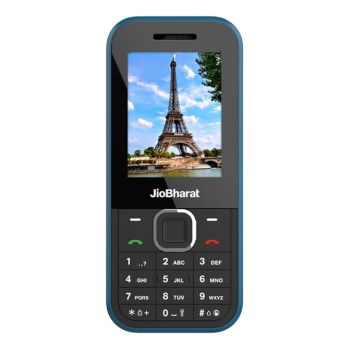
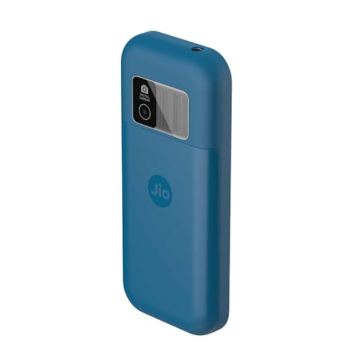
Jio Bharat B2 4G Keypad Phone
The Jio Bharat B2 4G Keypad Phone is packed with apps like JioTV, JioCinema, and a robust 2000mAh battery. Enjoy essential features in a compact design, ensuring connectivity and entertainment on the go.
₹1,399
Product Details
Experience seamless connectivity with the Jio Bharat B2 4G Keypad Phone, featuring essential apps like JioTV, JioCinema, and JioPay. This phone boasts a powerful 2000mAh battery, providing long-lasting usage, and effortless navigation. Located at NO 1 1A1A SANDHAIMEDU PUDUPALAYAM TIRUVANNAMALAI TAMIL NADU 606705 606705, this device is perfect for users seeking essential functionality in a stylish blue design.
Features & Benefits
- Access to JioTV and JioCinema
- Powerful 2000mAh battery life
- Built-in LED torch for convenience
- Digital camera for capturing moments
- Easy-to-use keypad design
- Locked network for secure usage
How to Use
Insert the Jio SIM card into the phone. Power on the phone by pressing the power button. Navigate the menu using the keypad. Access apps like JioTV via the home screen. Charge the device using the provided charger when necessary.
To hard reset your Jio Bharat B2, go to Settings, select 'Reset,' and then confirm the option to reset your device. This action will restore factory settings.
Yes, you can use your Jio Bharat SIM in any compatible smartphone. Just insert the SIM card and follow the activation process.
The Jio Bharat B2 is equipped with a powerful 2000mAh battery, ensuring extended usage time without frequent recharging.
Yes, the Jio Bharat B2 is a locked network device, meaning it only supports Jio SIM cards for service.
Simply press and hold the power button located on the side of the phone until the Jio logo appears on the screen, indicating it is powered on.


 Select Date
 08:00 AM - 08:30 AM, Thursday, Nov 24, 2024
 Indian Standard Time
 Shahanab