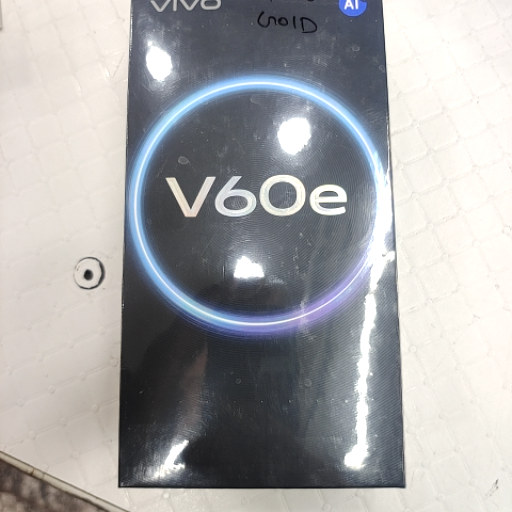
Vivo v60 e
Experience cutting-edge technology with the Vivo V60 E, a smartphone designed for efficiency and performance. Stay connected and productive on the go with this sleek device.
₹29,999
Product Details
The Vivo V60 E is a powerhouse of a smartphone that caters to the needs of modern users. Packed with innovative features and advanced technology, this device offers seamless performance for all your daily tasks. With a stunning display, powerful processor, and exceptional camera capabilities, the Vivo V60 E is a perfect companion for both work and play. Stay ahead of the curve with this stylish and reliable smartphone.
Features & Benefits
- Qualcomm Snapdragon processor for smooth performance
- High-resolution display for vivid visuals
- Triple camera setup for capturing stunning photos
- Long-lasting battery for extended usage
- Stay connected and productive with efficient performance
- Capture memorable moments with clarity and detail
- Enjoy a seamless multimedia experience on the go
- Long battery life ensures you stay powered throughout the day
- High-resolution display for vivid visuals
- Triple camera setup for capturing stunning photos
- Long-lasting battery for extended usage
- Stay connected and productive with efficient performance
- Capture memorable moments with clarity and detail
- Enjoy a seamless multimedia experience on the go
- Long battery life ensures you stay powered throughout the day
How to Use
1. Start by charging your Vivo V60 E to ensure optimal battery performance.
2. Set up your device by following the on-screen instructions for a personalized experience.
3. Explore the camera features and capture high-quality photos and videos.
4. Customize your settings to suit your preferences and enjoy a seamless user experience.
5. Regularly update your device to access the latest features and enhancements for improved performance.
Keywords: Vivo V60 E, smartphone, efficiency, performance, Qualcomm Snapdragon, camera, battery life, display.
2. Set up your device by following the on-screen instructions for a personalized experience.
3. Explore the camera features and capture high-quality photos and videos.
4. Customize your settings to suit your preferences and enjoy a seamless user experience.
5. Regularly update your device to access the latest features and enhancements for improved performance.
Keywords: Vivo V60 E, smartphone, efficiency, performance, Qualcomm Snapdragon, camera, battery life, display.


 Select Date
 08:00 AM - 08:30 AM, Thursday, Nov 24, 2024
 Indian Standard Time
 Shahanab