


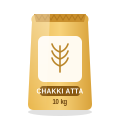
 Chakki Atta 10 kg₹520
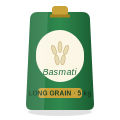 Basmati Rice 5 kg₹640
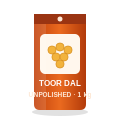 Toor Dal 1 kg₹159
 Sunflower Oil 1 L₹155
Grocery & Kirana
- Atta and rice
- Dal and pulses
- Cooking oil
- Sugar, tea and salt
- Biscuits and snacks
- Soaps and detergents
Five small steps, about 25 minutes in total. Each one helps customers find you, trust you and order.
Customers find stores that show what they sell.
Do them in one sitting, or one step a day.
Customers can see what you sell. A store with no products cannot get orders.
Start with what sells most every week. You can add the rest later.
Customers decide faster when they can see the price and the product.
A clear phone photo is enough. Take it in daylight against a plain wall.
Gives customers a reason to order today, not someday.
Keep it simple, like “₹50 off above ₹999” or “10% off new arrivals”.
Your first visitors come from people who already know you.
Post on WhatsApp Status, send to regular customers and add the link to your Instagram bio.
People nearby find your business when they search or check maps.
Add timings, address, photos and your store link, so customers can call or visit.
With prices and photos. Your store now has something to show.
Pick one simple offer customers can use when they order.
WhatsApp Status, regular customers, Instagram bio and the QR poster at your counter.
See your first store visitors, enquiries and orders in your dashboard.
Not sure which 10? Here are ideas for your kind of business.
Prefer us to do it? As a paid one-time add-on (from ₹2,999, separate from your plan), our team sets up your store and first 50 products, with sizes and colours if you need them.
See setup optionsQuick answers to help you take the first step.
Start with your top 10 best sellers. A small store with clear prices and photos works better than a big store with missing details. Add more over time, or add paid setup help and our team sets up your first 50 products.
A clear phone photo is enough. Take it in daylight against a plain wall. With Get Found + Sell and above, VyAI can also improve the photo for you.
Keep it simple and easy to understand, like “₹50 off on orders above ₹999” or “10% off new arrivals”. Customers use it when they order online.
Share your store link on WhatsApp Status and with your regular customers, add it to your Instagram bio, and put the Commerce QR poster at your counter.
Yes. As a paid one-time add-on (from ₹2,999, separate from your plan), our team sets up your store and your first 50 products, with sizes and colours if you need them.
Log in and add your top 10 products. It takes about 10 minutes.
New to SmartHub Vyapar? See how to get started

Quick answers from Vyaparify. For anything else, our team is here Mon–Fri, 10 am–6 pm.